
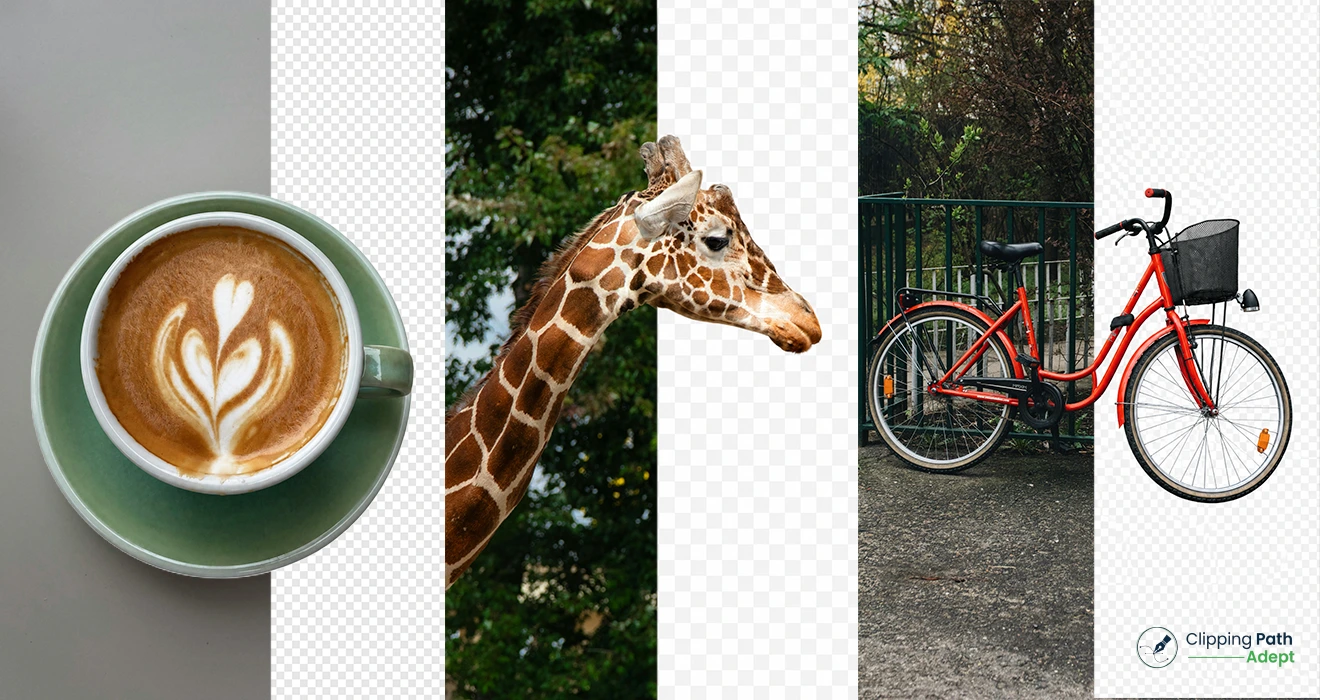
Types of Clipping Path are one of the most important parts of modern product photo editing and e-Commerce photo editing. A clean product image with a proper background cutout helps online stores build trust, improve product presentation, and create a professional brand image. From simple product shots to jewelry images with tiny details, different types of clipping path are used based on the object shape and editing requirements.
Professional editors use a Photoshop clipping path technique with the Pen Tool to create accurate image cutouts. This process is widely used in background removal service, image cutout service, catalog image editing, commercial photo editing, and product image retouching. Choosing the right clipping path type can save time, improve image quality, and make product photos look more natural on marketplaces like Amazon and Shopify.
According to Google’s people-first content recommendations, original and useful content performs better than keyword-heavy articles written only for ranking. Helpful, trustworthy, and experience-based content also supports visibility in Google Discover.
What Is a Clipping Path in Photoshop?
Clipping path in Photoshop is a hand-drawn vector path created with the Pen Tool to isolate an object from its background. Editors draw around the edges of a product or subject to separate it cleanly from unwanted areas. This method is often called deep etching service, Photoshop background cutout, or pen tool background removal.
Clipping paths are commonly used for:
- White background product photos
- Transparent background editing
- Product photo editing
- Fashion product image editing
- Jewelry retouching
- Amazon and Shopify product images
- Commercial advertising images
A clipping path works best for objects with hard and sharp edges. Hair, fur, smoke, or transparent fabrics often require image masking instead of clipping path.
Helpful resource from Adobe Photoshop explains how Pen Tool selections work in professional editing.
What Are the Different Types of Clipping Path?
Different types of clipping path are used depending on image complexity, curves, holes, edges, and editing needs. The four main types are:
- Simple clipping path
- Medium clipping path
- Complex clipping path
- Multiple clipping paths
Each type serves a different purpose in professional clipping path service and e-Commerce photo editing workflows.
Simple Clipping Path
What Is a Simple Clipping Path?
A simple clipping path is used for objects with straight or slightly curved edges and very few anchor points. These images are quick to edit because the object shape is basic and clean.
Examples include:
- Mobile phones
- Books
- Plates
- Boxes
- Balls
- Bottles with smooth shapes
Simple clipping path editing usually requires fewer Pen Tool points, making the process faster and cost-effective.
When Should You Use a Simple Clipping Path?
A simple clipping path works best when:
- Products have regular shapes
- Edges are smooth
- No holes or complicated curves exist
- Fast bulk editing is needed
Online stores often use simple clipping path services for catalog image editing and clean white background product photos.
Simple Clipping Path Features
- Minimal anchor points
- Quick editing time
- Suitable for bulk product editing
- Common in e-Commerce photo editing
- Lower editing cost
Medium Clipping Path
What Is a Medium Clipping Path?
A medium clipping path is used for products with more curves, holes, and moderate detail. This type requires more anchor points and careful Pen Tool work.
Examples include:
- Shoes
- Handbags
- Kitchen tools
- Headphones
- Fashion products
- Furniture items
Medium clipping path editing takes more time than simple clipping path editing because editors must follow more detailed edges.
When Should You Use a Medium Clipping Path?
A medium clipping path should be used when:
- Objects contain multiple curves
- Shapes are irregular
- Product edges need precise cutting
- Product photography requires clean presentation
Fashion brands and online stores often use medium clipping path services for clothing accessories and product showcases.
Medium Clipping Path Features
- Moderate editing difficulty
- More anchor points
- Better detail accuracy
- Suitable for fashion product editing
- Popular in Shopify and Amazon product editing
Complex Clipping Path
What Is a Complex Clipping Path?
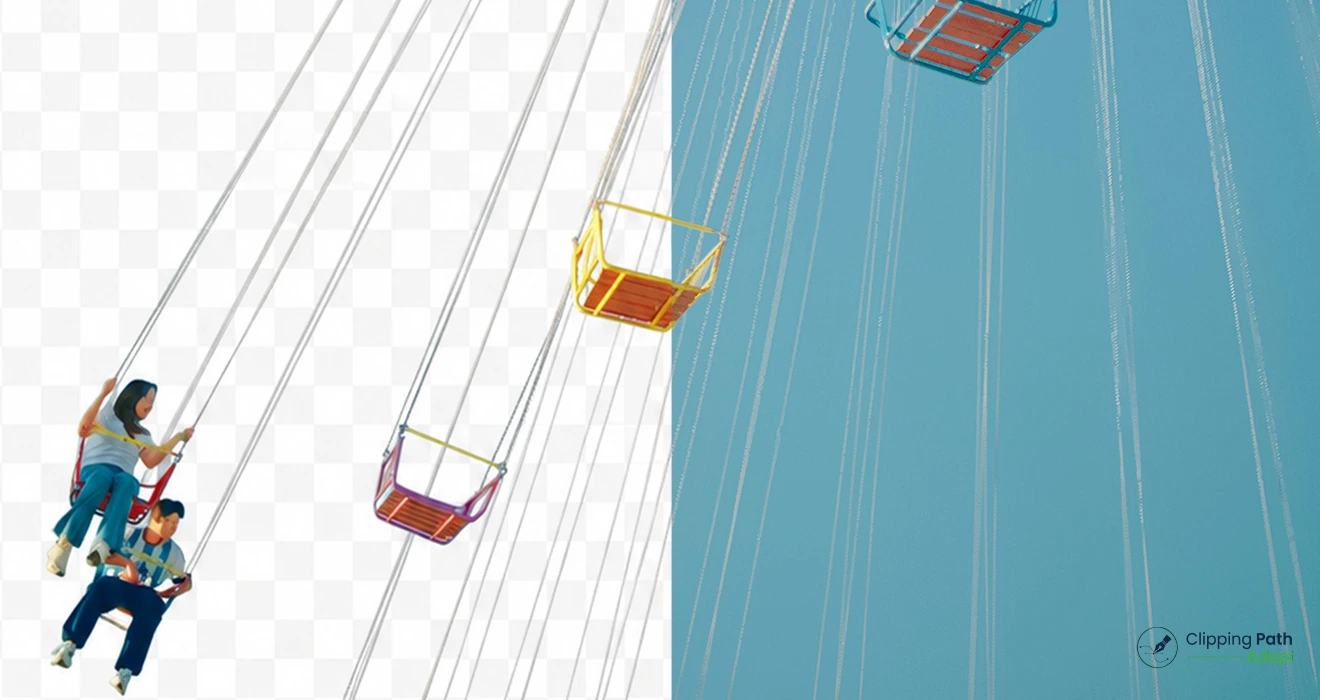
A complex clipping path is used for products with highly detailed shapes, multiple curves, holes, and intricate edges. This process requires advanced clipping path skills and significant editing time.
Examples include:
- Jewelry
- Chains
- Bicycles
- Watches
- Trees
- Decorative products
Complex clipping path editing demands precision because even a tiny mistake becomes visible in high-resolution product photos.
When Should You Use a Complex Clipping Path?
A complex clipping path is necessary when:
- Images contain intricate details
- Tiny curves and holes exist
- High-end product photography is required
- Premium brands need accurate cutouts
Jewelry stores often require complex clipping path services for diamonds, necklaces, and shiny accessories.
Simple vs Complex Clipping Path
|
Feature |
Simple Clipping Path | Complex Clipping Path |
| Shape | Basic |
Highly detailed |
|
Anchor Points |
Few | Many |
|
Editing Time |
Short | Long |
| Skill Level | Basic |
Advanced |
| Suitable For | Basic products |
Jewelry and intricate objects |
Complex Clipping Path Features
- Detailed Pen Tool work
- Time-consuming editing
- Precise object isolation in Photoshop
- High-end commercial photo editing
- Suitable for luxury products
Multiple Clipping Paths
What Is a Multiple Clipping Path?
Multiple clipping paths involve creating several separate paths within a single image. Editors use this method when different parts of an image need separate color correction or editing.
This technique is also called:
- Multi-layer clipping path
- Advanced clipping path
- Color correction clipping path
When Should You Use Multiple Clipping Paths?
Multiple clipping paths are used when:
- Different object sections need separate editing
- Color changes are required
- Product retouching is necessary
- Individual elements need isolated adjustments
Fashion and catalog businesses frequently use multiple clipping paths for product color variations.
Complex vs Multiple Clipping Paths
A complex clipping path focuses on intricate object edges. Multiple clipping paths focus on editing different image sections independently.
For example:
- A jewelry image with tiny details = Complex clipping path
- A shoe image needing separate color changes = Multiple clipping paths
Multiple Clipping Path Features
- Multiple editable sections
- Better color correction control
- Useful for product retouching
- Supports advanced image editing
- Common in commercial advertising
Types of Clipping Path in Photoshop
Adobe Photoshop remains the industry standard for professional clipping path service. Editors mainly use the Pen Tool because it creates accurate vector paths without damaging image quality.
Popular Photoshop clipping path techniques include:
- Hand-drawn clipping path
- Pen tool background removal
- Transparent background editing
- Photoshop background cutout
- Object isolation in Photoshop
Official tutorials from Adobe Help Center provide professional guidance on clipping path editing.
Clipping Path vs Image Masking
What Is the Difference Between Clipping Path and Image Masking?
Many people confuse clipping path and image masking, but both methods serve different purposes.
|
Clipping Path |
Image Masking |
|
Works best for hard edges |
Works best for soft edges |
| Uses Pen Tool |
Uses masks and channels |
| Suitable for products |
Suitable for hair and fur |
|
Faster for product editing |
Better for transparent objects |
Complex image masking is commonly used for hair, smoke, fur, and transparent fabrics.
Why Clipping Path Is Important for e-Commerce Images
Professional clipping path service helps businesses create visually appealing product photos for online stores.
Benefits include:
- Clean white backgrounds
- Better product presentation
- Consistent catalog appearance
- Improved customer trust
- Professional marketplace standards
Major platforms like Amazon Seller Central and Shopify recommend high-quality product images with clean backgrounds.
Industries That Use Clipping Path Services
Many industries depend on professional image editing company services for commercial visuals.
Common industries include:
- Fashion
- Jewelry
- Electronics
- Furniture
- Cosmetics
- Food photography
- Advertising agencies
- Online marketplaces
Clipping path for jewelry and clipping path for fashion products are among the most requested services in commercial photo editing.
How to Choose the Right Clipping Path Type
Choosing the correct clipping path type depends on image complexity and editing goals.
Use Simple Clipping Path For:
- Basic product shapes
- Fast bulk editing
- Standard catalog photos
Use Medium Clipping Path For:
- Moderate curves
- Fashion accessories
- Irregular product edges
Use Complex Clipping Path For:
- Jewelry
- Decorative products
- Detailed commercial photography
Use Multiple Clipping Paths For:
- Color correction
- Layer-based editing
- Product customization
Best Clipping Path Service for Product Photos
A professional clipping path service should provide:
- Hand-drawn clipping paths
- Accurate edge selection
- Fast delivery
- Manual editing
- High-resolution output
- Experienced Photoshop editors
Reliable photo editing companies also offer:
- Background removal service
- Image cutout service
- Product image retouching
- Photo retouching service
- Raster to vector clipping
- Studio photo editing service
FAQ
What is a clipping path in Photoshop?
A clipping path in Photoshop is a manually drawn vector path created with the Pen Tool to separate an object from its background.
What are the different types of clipping paths?
The four main types are simple clipping path, medium clipping path, complex clipping path, and multiple clipping paths.
What is a medium clipping path?
A medium clipping path is suitable for products with moderate curves and more detailed edges.
What is a multiple clipping path?
Multiple clipping paths allow editors to create separate editable sections inside one image.
What is the difference between simple and complex clipping paths?
Simple clipping paths use fewer anchor points and basic shapes, while complex clipping paths involve detailed edges and many anchor points.
What is the difference between complex and multiple clipping paths?
Complex clipping paths focus on detailed edges, while multiple clipping paths focus on editing different image sections separately.
Which clipping path type is best for eCommerce product images?
The best clipping path type depends on product shape and detail level. Simple and medium clipping paths are common for most eCommerce products.
What industries use clipping path services the most?
Fashion, jewelry, electronics, furniture, and eCommerce industries commonly use clipping path services.
What is the difference between clipping path and image masking?
Clipping path works best for hard edges, while image masking is better for soft or transparent edges.
Can clipping paths improve image quality?
Clipping paths improve image presentation and make product photos cleaner and more professional.
Final Thoughts
Different types of clipping path play a major role in professional product photo editing and e-Commerce photo editing. Simple clipping path, medium clipping path, complex clipping path, and multiple clipping paths each serve different editing purposes based on image detail and product shape.
Professional image editing companies use hand-drawn clipping path techniques to create clean backgrounds, accurate product cutouts, and visually appealing online store images. Businesses that invest in quality clipping path service often present products more professionally across websites, catalogs, social media, and marketplaces.
People-first content with authentic expertise and practical value tends to perform better in search visibility and Google Discover compared to generic keyword-heavy articles.