Where to Get the Best Background Removal Service for High-Volume Projects?
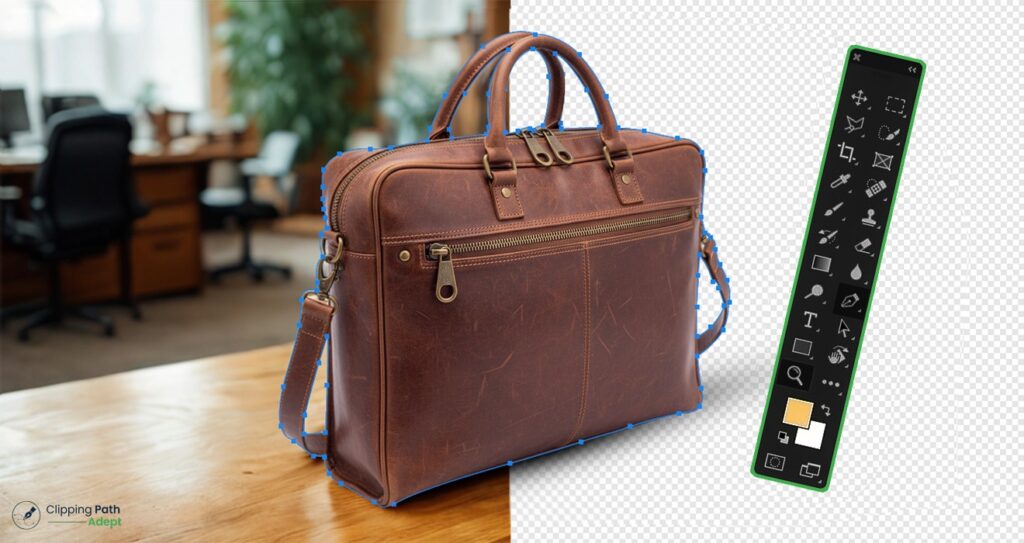
In 2026, a Background Removal Service is no longer optional for UK e-commerce brands — it’s a direct ranking and conversion factor. Whether you sell on Amazon UK, Shopify, or your own website, a professional product image background-removal service ensures compliance, faster page load times, and stronger trust signals. The Visual Evolution of E-commerce in 2026 The UK digital marketplace has shifted. Shoppers no longer just look at products; they scrutinize them. With the rise of high-resolution displays and augmented reality shopping, the quality of your product photography determines your brand’s perceived value. A background removal service serves as the backbone of this visual presentation. By eliminating distracting elements, you allow the consumer to focus entirely on the product’s features, textures, and details. At Clipping Path Adept Ltd, we have observed that clean, white-background images remain the gold standard for high conversion rates. Whether you are selling on Amazon UK, eBay, or a bespoke Shopify store, the “hero image” is your first and often only chance to make a lasting impression. Who Offers the Best Background Removal Service for UK Businesses? When searching for who offers the best background removal service, UK businesses prioritize three things: precision, speed, and reliability. Clipping Path Adept Ltd stands out by combining human expertise with advanced editing workflows. While automated AI tools have improved, they often struggle with complex edges, such as hair, transparent fabrics, or intricate jewelry. Our team in London and Dhaka ensures that every image background removal service task is handled with hand-drawn clipping paths for 100% accuracy. Why Choose Clipping Path Adept Ltd? UK-Based Communication: Our Ruislip office handles project management, ensuring clear communication. Global Production Power: Our Bangladesh facility allows for 24/7 operations and high-volume processing. Quality Assurance: Every image goes through a multi-stage review process before delivery. Manual vs AI Background Removal Service: Which Is Better in 2026? In 2026, while AI tools have become faster, the demand for precision in the UK’s high-end e-commerce and advertising sectors remains a human-led task. Below is the comparison based on current industry standards: Factor AI Tool (Automated) Professional Background Removal Company (Manual) Edge Accuracy Moderate (Can be blurry or jagged) Pixel-perfect (Hand-drawn clipping paths) Complex Objects Weak (Struggles with hair, fur, and lace) Strong (Advanced masking techniques used) Bulk Processing Fast (Instant but requires manual checking) Scalable & Accurate (High volume with QA) GDPR Compliance Risk (Data often used for model training) Secure Handling (Strict NDA and data protocols) Brand Consistency Inconsistent (Varies per image) Controlled (Custom style guides followed) While AI tools work for simple images, UK brands that prioritize brand perception choose professional background removal services for accuracy and compliance. Where to Get the Best Background Removal Service for High-Volume Projects? For agencies and large-scale retailers, the question is often where to get the best background removal service that can scale. Small-scale freelancers often buckle under the pressure of 1,000+ images per day. A dedicated background removal company like ours is built for scale. We provide a background removal services website interface that makes uploading and tracking your orders seamless. By outsourcing to a professional background removal service provider, you free up your internal team to focus on marketing and growth. 5 Ways a Photo Background Removal Service Increases Your ROI Investing in a photo background removal service isn’t just an expense; it’s a strategic move to improve your bottom line. Here is how it impacts your business metrics: 1. Improved Click-Through Rates (CTR) In a sea of search results, an image with a crisp, distraction-free background stands out. Data suggests that standardized product images can increase CTR by up to 27% compared to cluttered lifestyle shots used as primary listings. 2. Reduced Bounce Rates When a customer lands on a professional-looking site, they stay longer. Inconsistent backgrounds make a site look amateurish, leading to “trust friction.” A uniform product image background removal service ensures your catalog looks cohesive and trustworthy. 3. Compliance with Global Marketplaces Marketplaces like Amazon and Google Shopping have strict requirements. Using a professional background removal services partner ensures your images are never rejected due to technical non-compliance, such as “non-pure white” backgrounds. 4. Faster Page Load Speeds By removing heavy, unnecessary background data and optimizing the file size during the editing process, your website loads faster. Speed is a direct ranking factor for Google UK in 2026. 5. Multi-Channel Versatility Once the background is removed, your product becomes a “floating asset.” You can easily place it in social media graphics, email banners, or print catalogs without needing a new photoshoot. Advanced Background Removal Services for Different Industries Not all products are created equal. Different industries require specialized approaches to image background removal service tasks. Car Background Removal Service For the automotive industry in the UK, presentation is everything. A car background removal service involves more than just cutting out the vehicle. It requires cleaning up reflections, enhancing the windows, and often placing the car in a virtual showroom environment to justify premium pricing. Ghost Mannequin & Apparel For fashion retailers, removing the background is just step one. We often combine this with ghost mannequin effects to give the clothing a 3-shape and form, making it more appealing to the shopper. Complex Image Masking Items like fur, feathers, or fine mesh cannot be handled by standard clipping paths. Our background removal service image experts use advanced masking techniques to preserve every fine detail, ensuring the product looks natural against any new backdrop. Navigating the “Remove Background Customer Service” Experience One of the biggest pain points for UK businesses is the lack of support. If an image isn’t right, you need it fixed immediately. At Clipping Path Adept Ltd, we pride ourselves on our remove background customer service. We don’t just deliver files; we build partnerships. Our clients have direct access to our team via WhatsApp (+44 7915 603776) for real-time updates and revisions. How a Professional Background Removal Company Works Understanding the workflow of a background removal company helps you integrate our services
Step-by-Step Guide to Professional Clipping Path Service
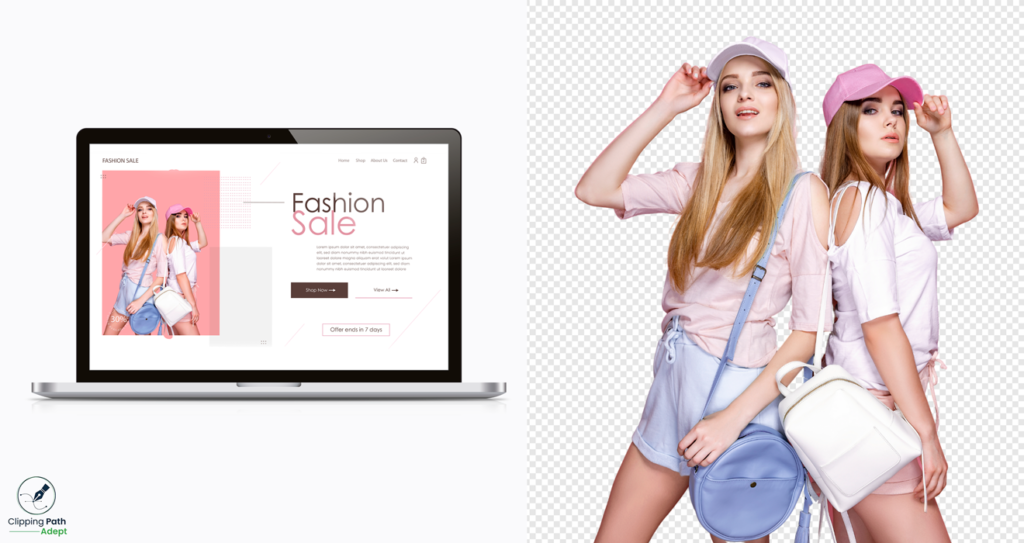
A clipping path service removes the main object from a photo. It makes the edges neat and sharp. You can then put the object on any background you like. This is why many brands and photographers use it. It helps photos look clean and professional. Professional clipping path services use the Photoshop Pen Tool. This tool lets the editor trace every curve carefully. They zoom in, draw smooth lines, and keep edges perfect. This work takes skill, focus, and a steady hand. That’s why expert editors do a better job than fast, automated tools. Many people choose affordable online clipping path services. You just upload your photos. Then a trained editor fixes them and sends back clean, ready-to-use images. Clipping Path Adept is one of the top providers. They work with product photos, fashion shots, jewelry, furniture, and more. Their team delivers precise edges, fast work, and consistent quality. Each image looks clear, sharp, and ready for online stores, ads, or catalogs. They focus on giving real value with strong quality at a fair price. If you want the best clipping path service online, Clipping Path Adept offers expert work that makes your business look professional. This blog will walk you through every step of the clipping path process and what to expect from the best clipping path provider. What is a Clipping Path Service, and why is it important? The clipping path service process removes objects from the image and makes them more visible. This separates the object from the background. This is especially useful for product design, online stores, e-commerce, or anywhere else you want your images to look crisp and elegant. A professional clipping path service makes your images look cleaner and easier to work with. Understanding of Clipping Path A clipping path is a line drawn around an object using the Photoshop Pen Tool. The editor sets points around the shape. These points connect to form a smooth, perfect path. The more accurate the path, the cleaner the cutout looks. This process is better than instant selection tools or automatic cuts. It gives full control over every curve and edge. So, it is perfectly used for equipment, costumes, jewelry, and everything else that needs sharp detail. Clipping paths is not just about basic editing. It also helps with technical tasks such as masking and background adjustments. When done correctly, the object and background stay separate. This makes it easy to place the item on white, transparent, or custom backgrounds for eCommerce images. A professional clipping path will make your photos look simple, realistic, and professional. Classification of Clipping Path Not every image object is the same, so distribution methods vary. A professional editor chooses the right format to keep things clear and simple. Basic Clipping Path: This is used for simple shapes. Objects with straight lines or soft curves work well. Boxes, bottles, and phones are examples. Compound Clipping Path: This is for objects with more curves or mixed shapes. Bags, shirts, and furniture often need this. Editors add extra points to follow the shape accurately. Complex Clipping Path: Used for objects with holes, cutouts, or detailed curves. Shoes, seats, and car parts fall into this category. Super Complex Clipping Path: For products with tiny details. Jewelry, necklaces, wires, and accessories with small or delicate edges need this type. Multiple Clipping Path: This is used when different parts of the same object need to be partitioned. Each part gets its own path. You can change colors, shadows, textures, or brightness for each section. It’s perfect for clothing, product sets, and detailed images. Each type of clipping path has a different level of difficulty. A trained editor chooses the right one so your final image looks clean, sharp, and ready for any background. Key Applications of Clipping Path Services Clipping path services are used in many industries to make images clean, sharp, and professional. E-commerce businesses use them to separate products from backgrounds. This makes items stand out in catalogs, online stores, and marketplaces. Fashion brands use clipping paths to show clothes, accessories, and jewelry clearly. The edges are precise, and the details look realistic. This makes products look more appealing. Marketing and advertising agencies rely on clipping paths for banners, campaigns, and promotional content. The visuals look striking and professional. Photographers and studios use them for portfolios, photo books, and client galleries. Every image looks flawless and neat. Other industries, like real estate, automotive, and electronics, also benefit. Clean product images grab attention and increase engagement. Professional clipping path services provide crisp, clear, and high-quality results. It supports companies to present their products and services in a professional way. Software & Tools Used for Professional Clipping Paths Photoshop Tools Pen Tool – Supports drawing smooth lines around objects. It helps to keep things neat and clean away from each other. Anchor Points –Preserve curves and angles to represent shapes. Paths Panel – Quickly edit, manage, and organize different paths for faster workflows. Layers – Allows you to overlay an original image without changing it. You can change the background or remove the image. Selection and Wrapping Tools – Help refine edges and make smooth transitions for a professional look. Adjustment Layers – Allows you to adjust colors and color correctly without affecting the original image. Other tools and plugins are used by experts Adobe Illustrator – A vector tool for scalable paths. Great for logos, graphics, and animations. GIMP – A free image editor with a path and image selection tool. CorelDRAW – Lets you use curves and nodes on vector cut lines to create figures. Bezier curve – simplifies shapes in the vector editor and provides better control. Automation Plugins – Helps streamline processes and manage complex processes. Install third-party plugins – for better integration, style customization, batch editing, and better masking for professional results. Step-by-Step Guide for Professional Clipping Path Process Step 1 – Set up your workspace Organize your files and set up Photoshop. Look at the layers, scale, and color. Once
Clipping Path vs Image Masking – Key Differences Explained
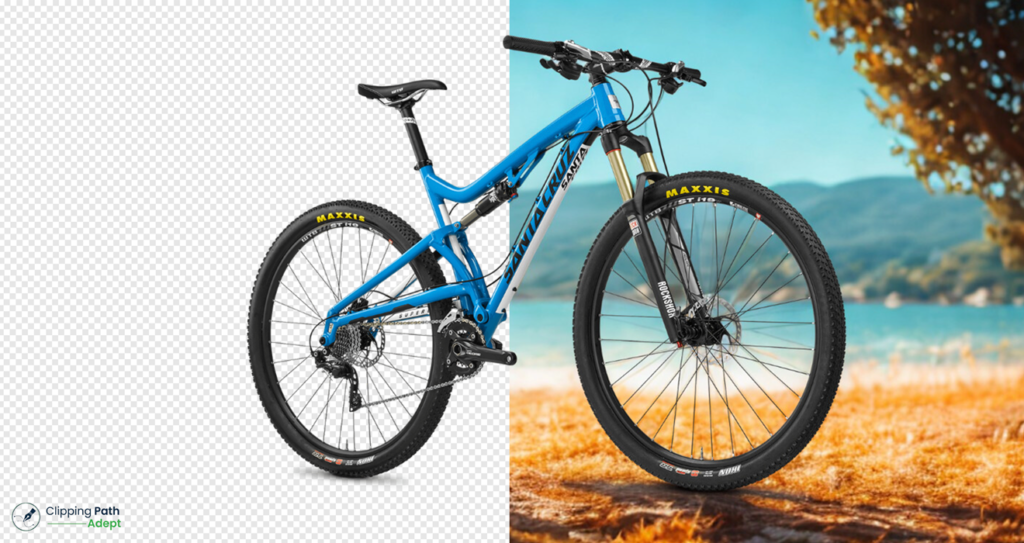
Have you ever tried to remove the image background and ended up with jagged hair edges? Or struggled to cut out a shiny glass item image without losing its reflections? Many photographers, e-commerce designers, and editors face these problems when working with detailed product images. Not every image can be fixed with just one method. This is where clipping path and image masking come in. Both help to make the image clear, remove the background properly. Each method works differently from the others. At Clipping Path Adept, our professional experts are skilled in both photo editing services. We use advanced Photoshop tools and pay close attention to detail. Whether your project needs the precision of a clipping path or the subtle touch of masking, we choose the right method. We can also combine the two to get the best results. In this blog, you will understand the differences between clipping paths and image masking. Why Background Removal Matters in Modern Photo Editing Today, images need to look perfect. This is especially true for e-commerce and advertising. People don’t just buy products; they notice how they are shown. A clean, distraction-free product image can catch a shopper’s eye. A messy background can make them click away. That’s why background removal is so important. Background removal means taking the subject out of its original background. This lets editors put the product anywhere. It keeps images consistent across catalogs. It also shows product details clearly. Whether you are using clipping path services or image masking services, the goal is the same: to make the subject stand out. Background removal is more than just making pictures look nice. It enhances the product’s look. It strengthens brand identity and builds customer trust. In e-commerce, clear images can increase sales. In advertising, they are very obvious. Using clipping path and image masking techniques, editors can replace tricky, delicate hair with soft textures, transparent parts, or smooth edges. Every image becomes ready for marketing, catalogs, or online stores. What Is a Clipping Path? A clipping path is a popular method in photo editing and background removal. It is a vector path that carefully traces the outline of an object. This lets editors separate the object from its background without losing any detail. Clipping paths are important for clean, professional images. They are widely used in e-commerce, product photography, and graphic design. Clipping Path Adept offers the best clipping path services. With this service, you can achieve professional image results. Types of Clipping Path service Basic Clipping Path – This usually uses a simple object with transparent edges. Great for bottles, bottles, electronics, or other common shapes. Complex or multiple paths – This is for objects with tricky shapes or many parts. This allows the designers to change shadows, textures, or colors. This type is best for products that need extra precision and professional finishing. How to do a clipping path in Photoshop Creating clipping paths in Photoshop is easy using the Pen tool. See how: Open Image – At first, open the image you want to edit in Photoshop. Select Pen Tool – Select a Pen tool from the toolbar. Better than the Brush tool for a more precise, customizable path. Trace an object – Follow the object closely. Click for a straight line and draw the path. Click and drag the curve. Close the Path – Add the endpoint to the starting position. This creates a rigid vector path around the object. Change the path to the selected object – right-click on the path and select “Make Selection”. This will turn the process into something you can use. Isolate or Remove Background – Remove or replace the rear background. You can change the object without affecting the rest of the image. Refine Edges – Use the Refine Edges or Selection and Masking tool to refine rough edges. Save your work – Save the image the way you want. This step-by-step process will give you a clean, clear, and complete view of the product. It is suitable for professional photo manipulation. Great for simple Objects Clipping paths work best for images that have a transparent, sharp edge. Examples include: Things like shoes, bags, and accessories Signs and logos, icons Boxes, packaging, and geometric shapes For these materials, the clipping path results in a clean and professional look. This includes catalogs, online stores, and physical stores. The importance of Clipping Paths There are many benefits of using Clipping Paths: Transparent, sharp edges for a professional look The file size is very small compared to masking. These techniques are vector-based, so you can resize them without losing accuracy. Clipping Path Limitations Clipping path lines isn’t good for all types of images. They don’t do a good job with soft, detailed edges. Hair, fur, feathers, or see-through objects like glass are hard to handle with a clipping path. In these cases, image masking is a better choice to keep natural details. What Is Image Masking? Image masking is a Photoshop technique that hides or shows parts of an image without deleting anything. Unlike a clipping path, which works best for hard edges, image masking is perfect for soft edges, transparent areas, and fine details. Masking gives editors full control over tricky areas while keeping the original image safe. Different types of Image masking Layer Mask – you can hide or reveal parts of a layer without changing the original image. You can edit and make the changes again. Alpha Channel Masking – removing physically tricky transparency objects, such as hair, reflectors, or semi-transparent objects. The mask is stored in the alpha channel to keep fine details. Hair Masking – A special method for soft, delicate edges such as hair, fur, or feathers. It helps to highlight each small detail for a clear, natural image. Soft Edge Masking – for a smooth transition between the subject and the background. It’s a great idea to add a subject to a new background or to a specific project. How to do masking
Basic vs. Multiple Clipping Path – Which One Do You Need?
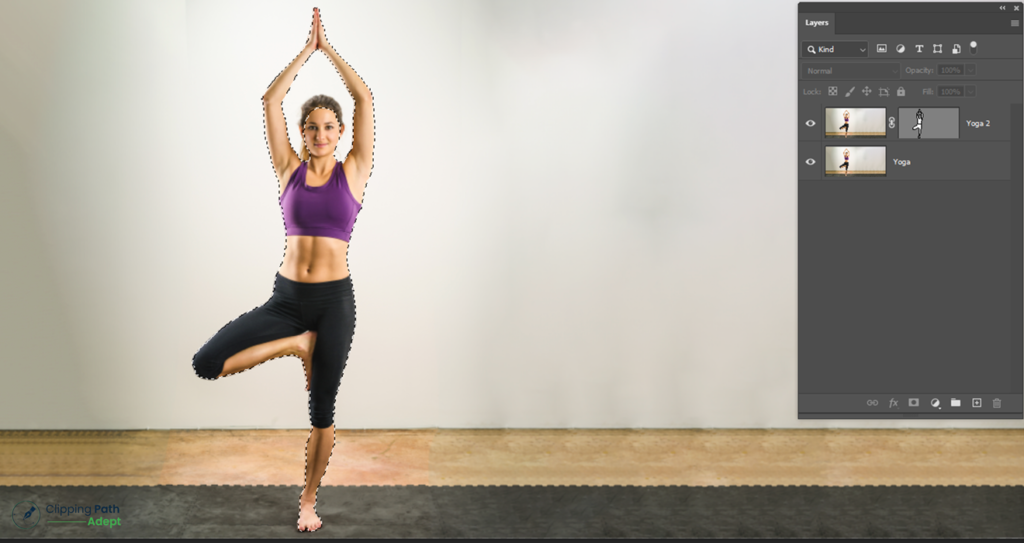
Have you ever tried to make your product images look perfect but ended up frustrated? Messy edges and uneven backgrounds can ruin a photo. You are not alone. Many businesses face the same problem. Also, it’s occurring using the wrong clipping path. Some photos only need a basic clipping path, while other images need multiple clipping paths to capture all the information. Using the right path will save time and make your images look more professional. In an e-commerce site, everything is important. Small product details matter here. At Clipping Path Adept, we are experts in all kinds of clipping. Our team makes every edge clean, colors balanced, and backgrounds perfect. Whether it is one photo or a full catalog, we make sure every image is ready to sell. Our team of experts can help you choose the right clipping path for your image. In this article, we will explain the difference between the Basic Channel and the Multi-Crop Channel. Lastly, you will know what types of paths are best for your project. Understanding Clipping Paths A clipping path is a line drawn around an object to separate it from its background. Designers use tools such as the Pen Tool in Photoshop or Illustrator to accomplish this task more efficiently. This makes it easy to remove, edit, or modify the background image while keeping the image crisp and clear. This is very important for online stores and marketing materials. It helps to know the difference between clipping, masking, and compound paths. Clipping uses vector lines to hide or show parts of an image. Masking works with layers to hide or blend areas smoothly. It’s great for hair, fur, or see-through objects. Compound paths in Illustrator let you combine multiple shapes for more detailed edits and effects. Using vector paths keeps images sharp and easy to edit at any size. They are key for layer editing, masking, and professional photo retouching. A good clipping path makes your product photos look polished, consistent, and ready to impress shoppers. Two Main Types of Clipping Paths Clipping paths are very important in professional image editing. They help separate objects from their backgrounds. This makes images look clean and polished. There are two main types of clipping paths: Basic Clipping Path and Multiple Clipping Path. It’s important to know the difference. Each type works best for different kinds of images. A basic clipping path is great for simple products. A multiple clipping path is best for detailed or complex images. It gives high-quality, professional results. Choosing the right type makes sure your product photos look neat, consistent, and ready for online stores or marketing. It helps your products become more perfect and engage more customers. What Is a Basic Clipping Path? A basic clipping path is to draw a line on an object by dividing it from its background. This is one of the most popular methods to edit images. By isolating an image object, the expert can remove, modify, or expand the background without changing its original subject. The main purpose of a basic clipping path is simple: it makes images clean and sharp quickly. It works best for products with simple shapes and smooth edges where detailed editing is not needed. Even though it is simple, a basic clipping path gives professional-looking results. It is often the first step in product image editing services. The uses of Basic Clipping Path A basic clipping path is very helpful in product photo editing. It helps to make clear and professional images for the online store and catalogs. Best Uses: Product Image for E-Commerce: Isolate product photos such as clothing, furniture, or electronics for e-commerce sites. Easy Background Removal: Easily remove the background to make a white background. Fast and affordable: Basic clipping path saves time, and affordable pricing also delivers better results. Categories such as clothing, jewelry, and other ordinary product images benefit from this path. If your product photos need simple isolation without complex details, a basic clipping path is the best choice for fast and polished images. How It Works A basic clipping path is the easiest and most useful way to cut out an object from the background. It is most of the time used for image editing because it produces crisp and clear results with very little effort. Here’s how it works: Open the image in Photoshop or Illustrator – paste the product image into a new document and get to work. Select the Pen tool – This tool will allow you to draw the vector shape where you want to draw it. Carve a path around the piece – fold the edges together to form a closed path. This leads to which part of the image is visible. Use Path Isolation – when a path ends, the object is automatically separated. You can easily erase or change the background. Filter and Save – Change the direction if necessary, then save it to continue editing or exporting. The strength of a basic clipping path is its simplicity and precision. It keeps the original image safe while giving a clean, professional look. Unlike compound paths, which handle complex shapes, a basic clipping path is perfect for simple product images. This process is fast, efficient, and suitable for print, e-commerce, or business applications. The Advantages of a Basic Clipping Path Basic Clipping Path has its advantages. It is an ordinary method for editing product images, especially basic images that do not require the use of complicated adjustments. Advantages are: Faster Workflow – One path around a product isolates it quickly, saving time on editing. Easy Editing – Using this method, you can easily edit with layers and retouch photos. Budget savings – Not as expensive as other editing service methods. Great for Simple Products – Best for product items, like bottles, boxes, or clothes. Using a basic clipping path confirms your photos stand out for your online business. It saves time and money while
What Is Clipping Path Service & How It Works
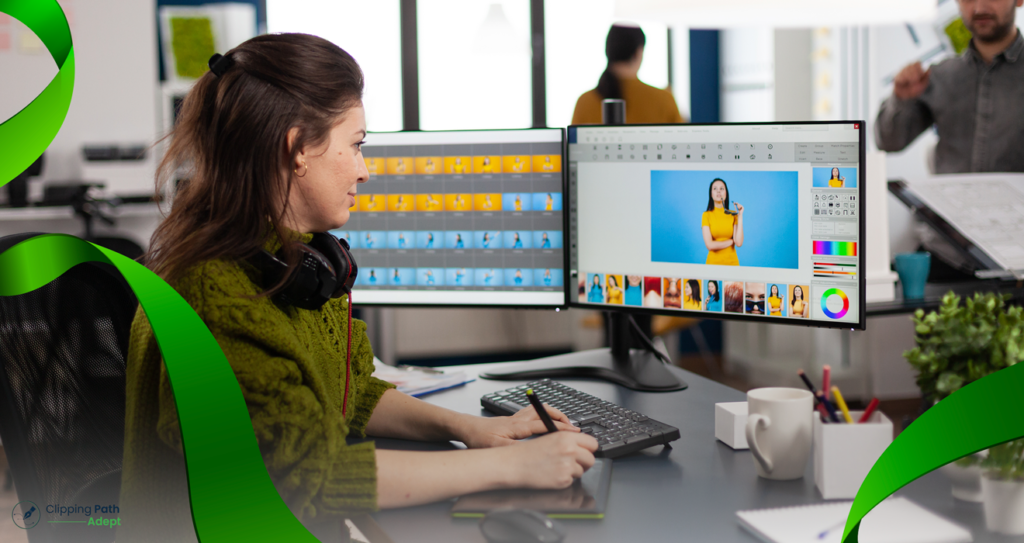
Have you ever wondered how an online store can have a clear product image with a white background? The image editing method is called a clipping path. The clipping technique is a vector outline that is drawn around an object in an image, and this will help to remove the object from the background. The most common software for this job is Adobe Photoshop. Editors use the Pen Tool to trace the edges carefully. After that, they can remove or change the background without touching the main object. This technique is vital for e-commerce. It makes products look clean, sharp, and professional on websites. Clipping Path Adept provides professional photo clipping services in the United States and the United Kingdom. We have over 10 years of experience helping businesses create effective product images. Our professional editors save you time and help you get high-quality images. In this blog, you’ll learn what a clipping path is, how it works, why it’s important for e-commerce, and how professional services can make your product images look their best. What Is Clipping Path? A clipping path is a line drawn around an object in a photo to separate the object from the background. Basically, it helps remove the background. This makes the image look clean and professional. These types of images are great for e-commerce, marketing. In Adobe Photoshop, designers work with the Pen tool to define the shape of an object. Small anchor points are placed to create a smooth structure. Once the path is done, the background elements can be removed, replaced, or modified without affecting the primary element. Professional clipping path services in Photoshop make sure every detail is perfect, from tiny corners to smooth edges. Since the path is made with vectors, designers can control every curve and line. This helps create clear, high-quality results every time. The clipping path is the base of all image cutout services used in photo editing today. Types of Clipping Path Clipping path methods can vary depending on the delicate nature of the image object. Knowing these types will assist you in selecting the right clipping path service. Basic Clipping Path: It is used to make simple shapes with smooth or flat edges. The designer uses the Pen Tool to cut out the object. This clipping path method is best for standard product images, such as boxes, bottles, etc. Compound Clipping Path: This method is applied with an object that has open areas, such as a ring, chair, or watch. It connects with multiple paths to bring each section of the object to a transparent look and a clean look. Complex Clipping Path: This is for tricky objects with fine or rough edges, such as hair, fur, or jewelry. It needs careful tracing to capture every small detail and shape. Multiple Clipping Paths: It is used for the image with is contains many elements that need to be separately edited. Every element has its own path, so editors can adjust any color, shadows, or backgrounds individually. Each type helps make the image background neat and accurate. With the right clipping path, your photos look polished and ready for eCommerce, marketing, or catalogs. Are Clipping Path and Clipping Mask the Same? Most of the time, e-commerce owners or beginner graphic designers are confused about the clipping path and the clipping mask. They sound similar, but they work differently in Photoshop.A clipping path is a vector-based gradient used for segmentation objects from the background. Great for e-commerce images, advertising, and product photography. This helps to make fine, clean edges around the image object. A clipping mask is different. The method works in pixels without paths. Instead of clipping, it hides or reveals the parts of a layer. It is typically used to create innovative designs such as text, color correction, or image blending. Here’s a quick comparison: Feature Clipping Path Clipping Mask Basis Vector path Pixel-based layer mask Purpose Cut out objects or remove backgrounds Control which parts of a layer are visible Tools Pen Tool, Anchor Points Layer Mask, Brush Tool Use Case eCommerce product photos Graphic design and photo effects Designers often use both together. The clipping path gives clean cutouts, while the clipping mask allows soft edits and creative control. Clipping Path in Photoshop A clipping path in Photoshop is not a complex yet powerful editing technique. This helps to cut out the object from the background with transparent, clean edges. Designers use it to make product photos, ads, and marketing images look neat and professional. When they draw a vector line on the subject, they can remove, change, or re-customize the background without affecting the main object. With a clipping path in Photoshop creates clean, clear, and smooth edges that enhance images. This is an essential method for photography, e-commerce, or photo editing. Types of Tools Used for Clipping Path Tools are very important to create a professional clipping path in Photoshop. The most common tool is the Pen Tool. It helps you draw smooth, curved lines on subjects. By creating anchor points, you can create a neat path and split objects from the background. This tool is best for creating complex design items like jewelry, hair, or small details. Here’s a look at the main tools used for clipping paths: Pen Tool (Photoshop Pen Tool): The Pen Tool gives the most accurate results. You can place and move anchor points to make clean outlines around objects. It’s perfect for detailed work and is the top choice for professional editors. Lasso Tool: The Lasso tool allows you to draw around an object with your mouse. It’s fast enough for simple designs, but not great for delicate or intricate shapes. Great for a quick and easy pick, the better you’ll be able to fix it later. Polygonal Lasso Tool: This tool makes selections using straight lines between each click. It works well for shapes with sharp or straight edges, like boxes or signs. It’s not ideal for curves, though. Magnetic Lasso