Are your product images failing to attract customers? In today’s competitive online marketplace, visuals are everything. A poorly edited image with rough edges or distracting backgrounds can instantly reduce trust and lower your conversion rate. No matter how high-quality your product is, bad presentation can cost you sales.
This is where a clipping path service becomes essential.
A clipping path is one of the most reliable and professional image editing techniques used to create clean, sharp, and distraction-free visuals. From e-Commerce stores to advertising agencies, businesses rely on this method to maintain brand consistency and achieve a high-end look. In this complete guide, you will learn what clipping path is, how the process works, the different levels of complexity, and how to choose the best clipping path provider.
What Is a Clipping Path? (And Why It’s Also Called Deep-Etching)
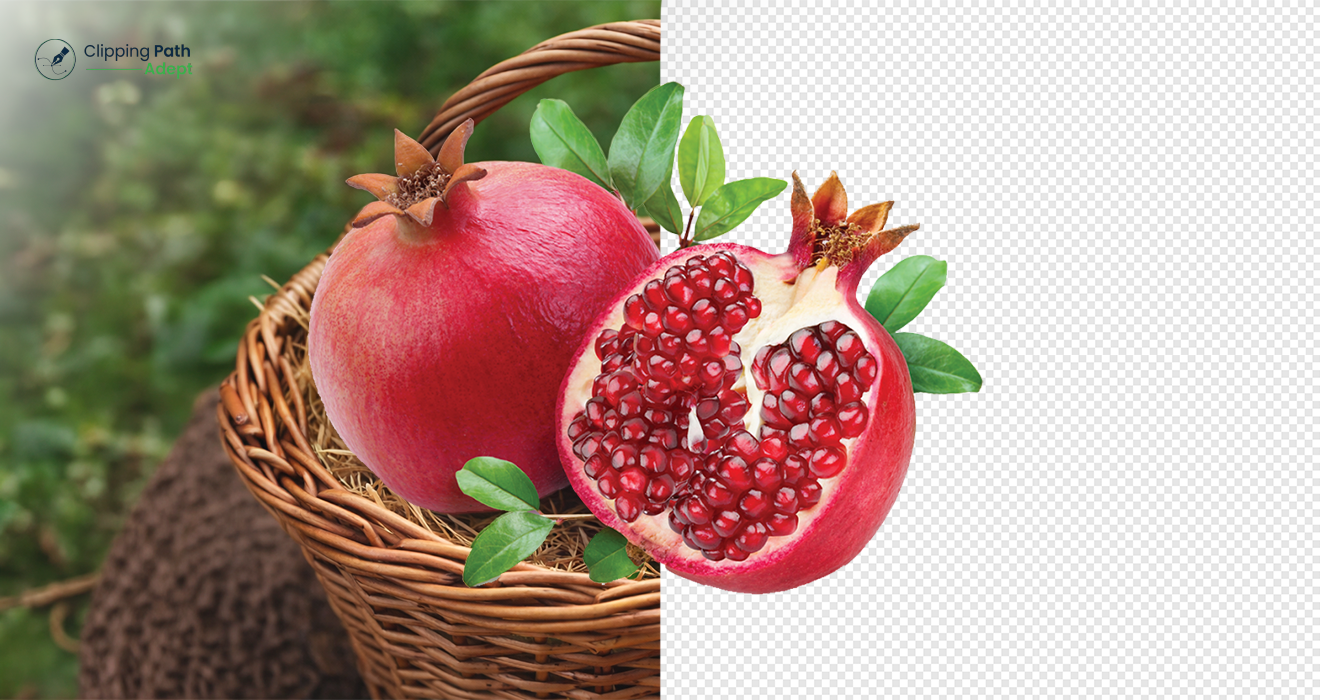
A clipping path is a vector-based outline created in Photoshop using the Pen Tool to isolate an object from its background for clean and professional image editing. Clipping path experts manually draw this outline using the Pen Tool in Adobe Photoshop.
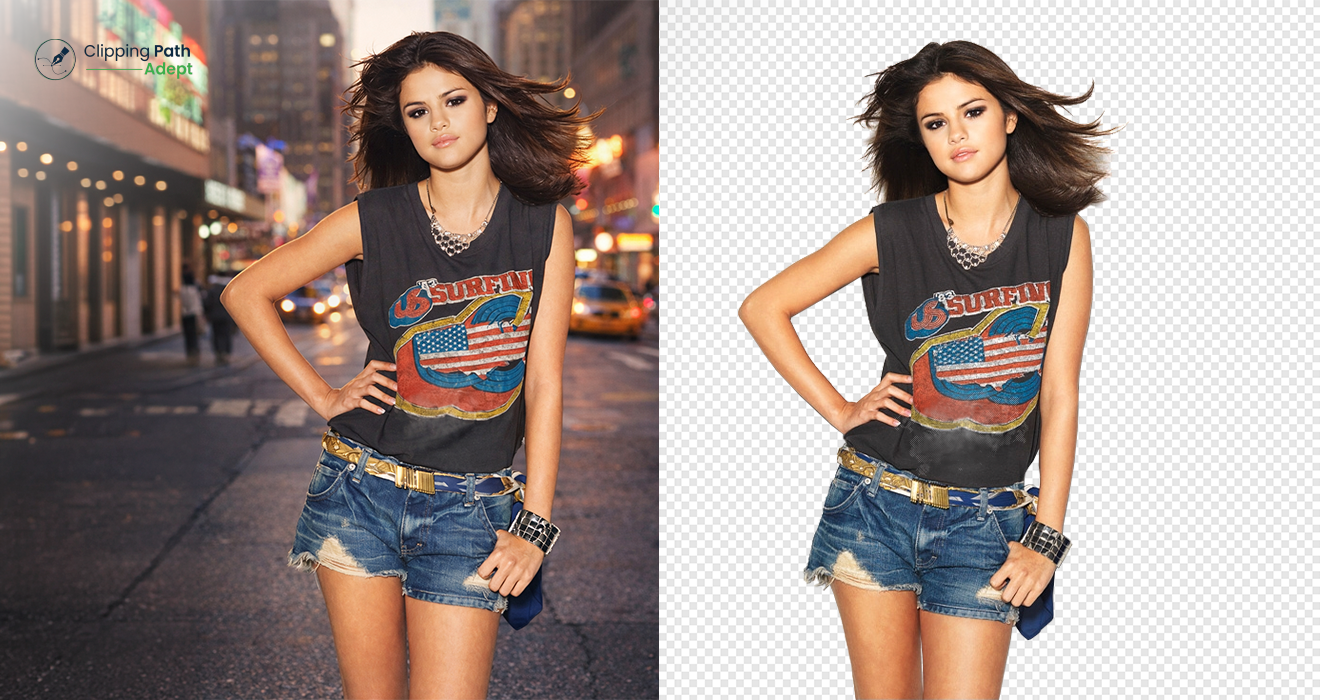
This method allows the subject to be “clipped” out without affecting the pixels of the object itself. The result is a clean, sharp edge that looks natural on any background. This process is also known as photo clipping path or images clipping path in the editing industry.
The Industry Term: Deep-Etching
In regions like Australia and the UK, you may hear the term deep-etch. Don’t be confused—clipping path and deep-etch refer to the exact same process. Both aim to create a professional cutout for marketing, graphic design, and online sales.
Clipping Path vs. Image Masking: Which Do You Need?
While both techniques remove backgrounds, they serve different purposes based on the complexity of the subject’s edges.
|
Feature |
Clipping Path |
Image Masking |
|
Best For |
Solid, hard, or sharp edges | Soft, fuzzy, or complex edges |
|
Common Subjects |
Bottles, boxes, furniture, jewelry |
Hair, fur, wool, smoke, transparent glass |
|
Tool Used |
Photoshop Pen Tool (Vector) | Background Eraser, Alpha Channel (Raster) |
|
Edge Quality |
Sharp and crisp |
Soft and detailed |
Clipping Path vs. Background Removal: What’s the Difference?
While these terms are often used to mean the same thing, there is a technical distinction that every business owner and photographer should understand.
- Background Removal is the result. It is the general process of eliminating the backdrop of an image to leave the subject on a transparent or white background. This can be done using various tools, including AI, the Magic Wand, or Eraser tools.
- Clipping Path is the method. It is a specific, high-end technique used to achieve background removal. Unlike automated “background removal” tools that can leave blurry or pixelated edges, a clipping path uses vector points to ensure the result is surgically precise.
Key Difference: “Background Removal” is a broad category, whereas “Clipping Path” is the gold-standard professional service within that category. If you want the highest quality for print or large-scale e-commerce, you are looking for a clipping path.
How Clipping Path Works: The Step-by-Step Process
To achieve a 10/10 quality score, clipping paths in Photoshop must be done manually. This step-by-step image clipping services process ensures high-quality output. Here is how a professional clipping path service provider handles your images:
- Image Analysis: The editor opens the high-resolution file and determines the best starting point for the path.
- Pen Tool Selection: Using the Pen Tool (shortcut ‘P’), the editor begins placing anchor points along the edge of the subject.
- Drawing the Path: The editor creates smooth curves using Bezier handles. To ensure no background “fringe” remains, the path is usually drawn 1 or 2 pixels inside the object’s edge.
- Closing & Naming the Path: Once the outline is complete, the path is closed and saved in the “Paths” panel.
- Conversion: The path is converted into a selection or a “Clipping Mask,” allowing the background to be removed or replaced with pure white.
The Different Levels of Clipping Path Complexity
Not every photo clipping path is the same. Pricing and time depend on the complexity of the object:
- Basic Clipping Path: For simple shapes like a book, a smartphone, or a framed picture.
- Simple Clipping Path: For objects with more curves but no “holes,” such as a shoe or a simple handbag.
- Medium Clipping Path: For items with multiple curves and some interior paths (holes), like a watch or a group of simple products.
- Complex Clipping Path: High-detail items like bicycles, jewelry, or chairs with many intricate cutouts.
- Super Complex Clipping Path: Intricate designs like fences, nets, or high-end bridal wear that require hundreds of anchor points.
AI vs. Manual Clipping Path: Why Human Expertise Wins
AI-powered background removal tools are fast, but they often struggle with precision.
- AI Clipping Path: Great for bulk processing of very simple items, but often leaves “jagged” edges or cuts off parts of the product.
- Manual Clipping Path: Performed by a clipping path expert, manual editing ensures every curve is smooth and every detail is preserved. For professional photography, manual editing is the only way to ensure 100% accuracy.
Advantages of Using Clipping Path Services
- Brand Consistency: Ensures all product photos have a uniform look across your website.
- Multi-Platform Ready: Meets the strict “pure white background” requirements of Amazon, eBay, and Google Shopping.
- High Resolution: Since it’s a vector-based path, the edges remain crisp even if you resize the image.
- Enhanced ROI: Professional photography clipping path work leads to higher customer trust and increased sales.
Real Example of Clipping Path Impact
For example, an online store replaced low-quality product images with professionally edited clipping path pictures. After improving image clarity and background consistency, the store saw better engagement and increased conversion rates.
Which Industries Use Clipping Path Editing?
- E-Commerce: For clean, distraction-free product listings.
- Fashion & Apparel: To present clothing and accessories perfectly.
- Photography Studios: To outsource tedious post-production work.
- Advertising Agencies: For creating brochures, banners, and catalogs.
- Real Estate: To improve property images by removing cluttered backgrounds.
How to Choose the Right Clipping Path Provider
When selecting a clipping path service, look for these five markers of quality:
- Portfolio: Do their edges look smooth, or do they look “robotic” and sharp?
- Turnaround Time: Can they handle high volumes within 12–24 hours?
- Free Trial: A reputable provider will always offer a free test to prove their skill.
- Revision Policy: Ensure they offer unlimited revisions if the path isn’t perfect.
- Data Security: Your original high-res images should be handled securely.
FAQs
What is the purpose of a clipping path?
The primary purpose is to isolate a specific part of an image (usually the subject) so it can be placed on a different background or used in a layout without its original surroundings.
Is a clipping path the same as a vector path?
Yes. In Photoshop, a clipping path is a vector shape that tells the software which part of the image should be visible and which part should be transparent.
Which file formats support clipping paths?
To preserve the path, you should save your files as TIFF, PSD, or EPS. While JPEGs can contain paths, they do not support transparency.
How do I release a clipping path in Photoshop?
Open the “Paths” panel (Window > Paths), select the active path, and click in the empty space below the path name to deselect/release it.
What is the cost of clipping path services?
Costs vary based on complexity. Basic paths can start as low as $0.39 per image, while super complex paths (like jewelry) may cost more due to the hours of manual labor required.
Final Thoughts
Looking for high-quality results? Our professional clipping path services deliver precise, clean, and fast edits. Try a free trial today and experience the difference.
High-quality images are the backbone of digital success. Whether you are an e-commerce giant or a solo photographer, investing in professional clipping path services is a smart decision that builds brand authority and improves conversions.
By mastering the images clipping path process or partnering with an expert provider, you ensure that your visuals are always sharp, clean, and ready to sell.